

The setting has been moved in Moneybird and is no longer under Settings > Bank. Go to Settings > Invoices and quotes > Payments without proof and turn on Allow there.
Moneybird error message: This administration does not allow payments without proof
This message means that the Moneybird administration does not allow payments without proof. This is not an issue with the integration: enable the Payments without proof setting in Moneybird and then restart the invoice export in Vetocare.
Moneybird error message: An error occurred in Moneybird, or while communicating with Moneybird: 400 BadRequest {"error":"This administration does not allow payments without proof","symbolic":{"payment":"insufficient_permissions"}}
Enable payments without proof in Moneybird
Vetocare registers a regular invoice payment in Moneybird as a payment without proof, so the invoice can already be marked as paid before the actual transaction from, for example, Mollie has been paid out. Allow this in the Moneybird administration:
In Moneybird, go to Settings > Invoices and quotes > Payments without proof.
Turn on the Allow option.
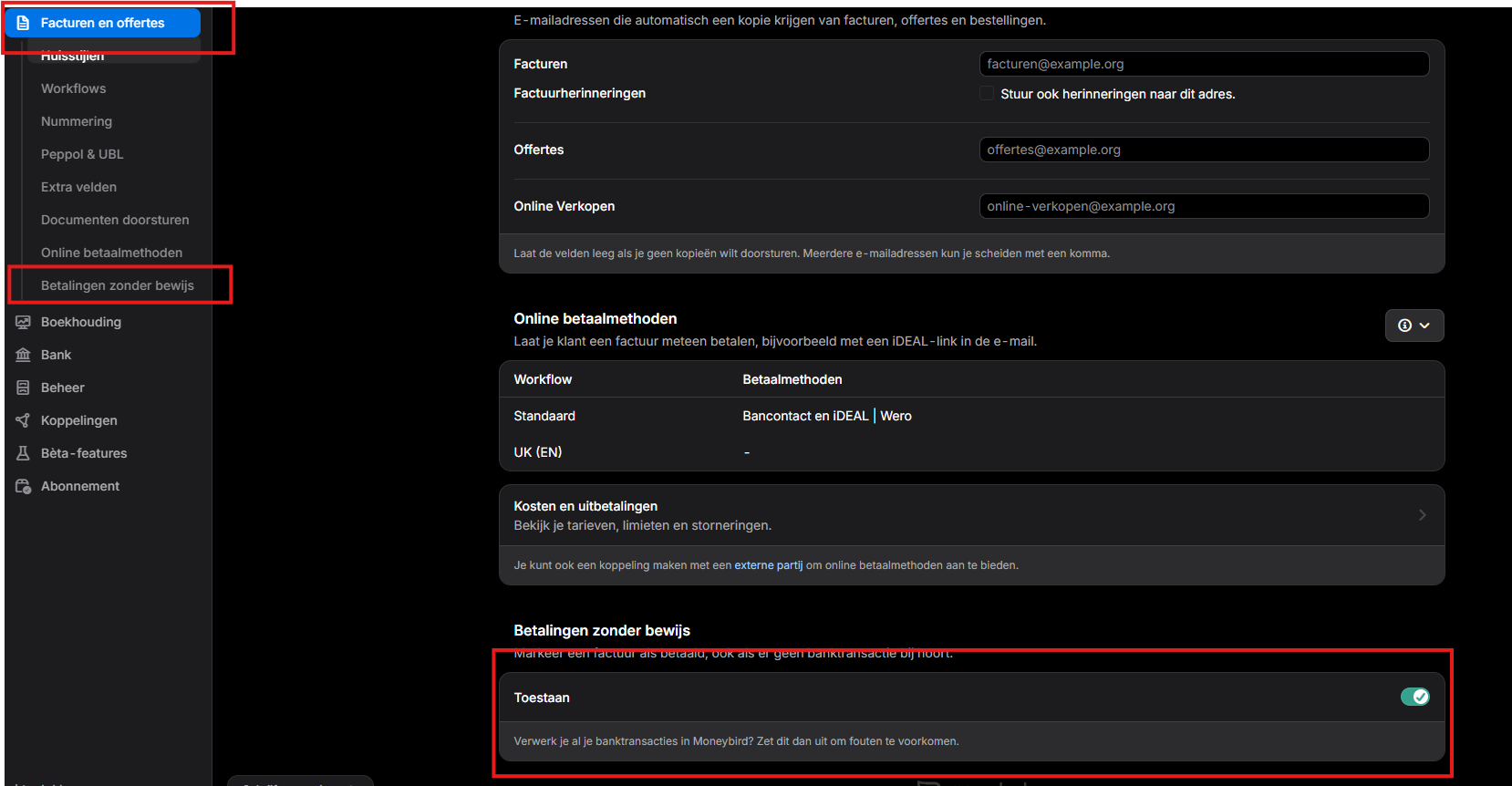
Do you process all your bank transactions in Moneybird? If so, turn off this setting to prevent errors.
I can't find Payments without proof in Moneybird
Restarting the invoice export in Vetocare
After enabling the setting, restart the export of the relevant invoice. You can do this in two ways:
From the invoice overview: go to Invoices > Export > To connected applications, select the invoice, and start the export.
Per invoice: open the invoice and click Export to external apps.
For information on configuring the integration with Moneybird and how the export statuses work, see Moneybird integration.
Was this helpful?
Was this helpful?