

Set up practice email
Set up practice email
You can have a separate email address for your Vetocare account and for communicating with customers. This article is intended for when you want to set up an email address for communicating with customers.
To set up your contact email address, navigate via "Settings" to
"Settings for sending emails".
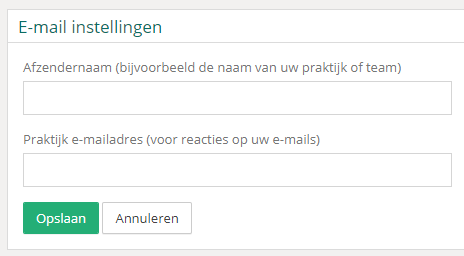
You only need to fill in 2 fields when setting this up:
Sender name - This is the sender's name, which people see before they open the email.
Practice email address - The email address to which customers' replies are sent, such as replies to appointment reminders.
Finally, click the "Save" button to save the settings.
Was this helpful?
Was this helpful?