

Filling in reports
Filling in reports
Your client records contain various overviews, including 'Reports'. In this section, you can create reports using your templates.
These templates allow you to create a report about anything you like. For example, a visit, a client consultation, or anything else you want to document in a report.
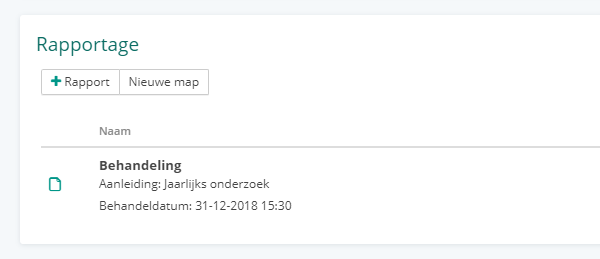
To create a report, click the + button. If you have multiple templates, select the template you want to use.
You will then see a form containing the fields from the selected template, along with some additional fields relevant to the client or their animal, depending on where the report is created.
Folders
By default, all reports appear separately in the list, but you can easily place them in a folder to keep everything organized, for example, for a new treatment cycle or case.
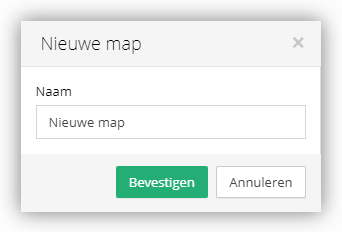
By clicking the 'New folder' button, you can create a new folder. From this folder, you can then directly create new reports or move existing reports into it.
To move a report into or out of a folder, click the "Options" button for the report and then select "Move to a folder". To remove an existing report from a folder, click the "Options" button and then select "Remove from folder".
Conflict when saving
When saving, Vetocare checks whether you are working with the latest version of the report. If someone else has modified the report in the meantime, your changes will not be saved and the message "This report has been modified in the meantime" will appear. Your changes remain on the page, so do not close the page until you have secured them.
The message offers two options:
Open latest version - opens the report as it currently is in a new tab. Your changes remain in the original tab.
Save my version as a copy - saves your version as a separate report without overwriting the latest version. After saving, the message "Your version has been saved as a copy." appears, with the option "Open copy". Changes you make while the copy is being created are not included in the copy.
If the report has meanwhile been moved to another animal or another client, your changes will also not be saved. You will then only have the option "Save my version as a copy".
If saving fails, your changes remain visible as unsaved. For an existing report, Vetocare will then automatically try to save it again. For a new report, click "Save" again yourself.