

View VAT return
View VAT return
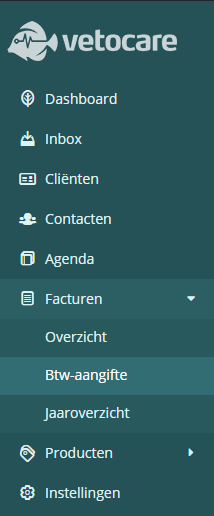
In Vetocare, you can view your VAT return. This report is easy to access via the menu: click the arrow next to "Invoices" and then click "VAT return".
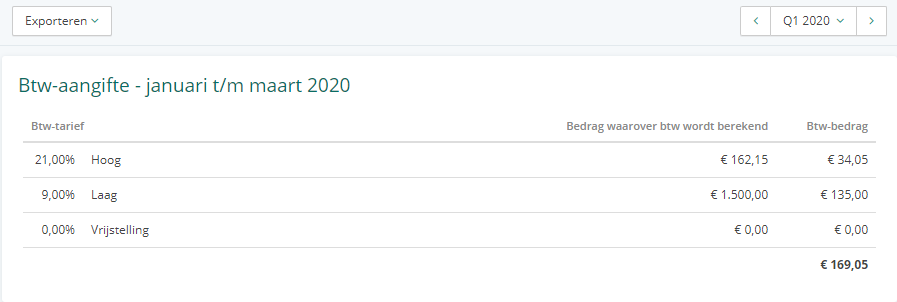
The VAT return shows, for each VAT rate, the amount on which VAT is calculated and the VAT amount. In the top-right corner of the screen, there is a filter that allows you to navigate to another quarter, but you can also request the return by year or month.
You can also export the return using the Export button. You can choose to print it, download it as a PDF or Excel file, or send a PDF to a contact or email address.
Was this helpful?
Was this helpful?