

Adjusting inventory (mutation)
Adjusting inventory (mutation)
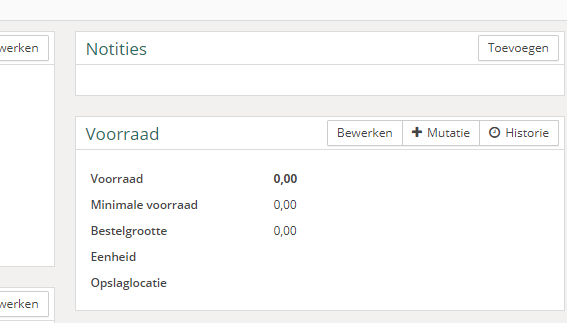
To adjust the inventory of a specific product in your Vetocare, click "Mutation" when you are on a product page.
You will now see a window where you need to fill in a few things:
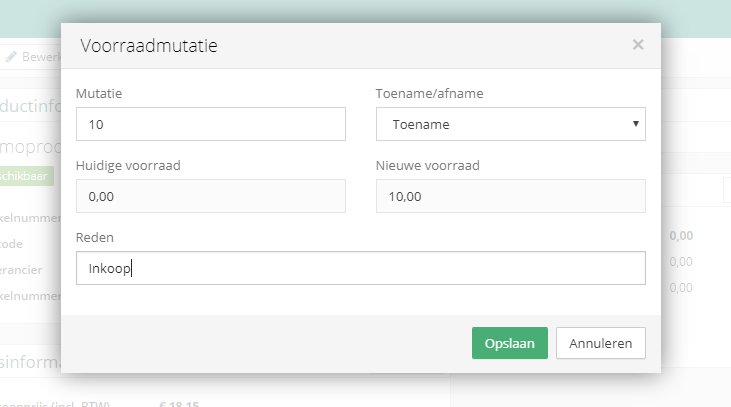
Mutation
The quantity by which the product's inventory will decrease/increase.
Increase/decrease
Here you select whether the quantity you entered earlier is an increase or a decrease in the current inventory. If a purchase is made, this is an increase; if you have sold something, this is a decrease.
Current/new inventory
Here you can see the current inventory and what the new inventory will be once this mutation has been applied to the current product inventory.
Reason
The reason for the mutation. Such as "Purchase" or "Theft".
Then all you have to do is click "Save" to apply the mutation.