

Manage storage locations
Manage storage locations
When managing products in Vetocare, you can add a storage location to easily see where specific products are stored. Naturally, you will also want to add storage locations to your Vetocare so that you can easily select them in the future.
To manage your storage locations, go to "Manage storage locations" under "Products" in your Vetocare settings.
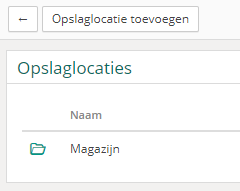
As you can see, you immediately have an overview of all your saved storage locations. If you have not yet added any storage locations to your Vetocare, none will be available. In that case, if you add a product, the only storage location option will be "None".
To add a new storage location to your Vetocare, press the button
"Add storage location".
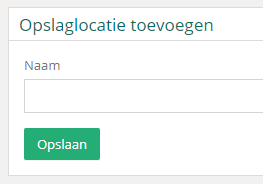
You only need to enter the name of the storage location. Finally, do not forget to press "Save" to add the new storage location to your Vetocare.
Now that the new storage location has been added, you can set the storage location when managing products. This is very useful for maintaining a clear overview!
Delete storage location
A particular storage location may no longer exist and therefore no longer be relevant. In that case, you will naturally want to delete it.
To delete a storage location in Vetocare, go to the storage location's page. Now you only need to press "Delete". You will be asked once more to confirm that you definitely want to delete the storage location, just to be sure. Once you have confirmed, the storage location will be deleted from your Vetocare.