Create a drawing
Create a drawing
In Vetocare, you can add comments to images. In Vetocare, these images with comments are called drawings. Drawings can be created for an animal in the animal's documents, or for a report.
Drawings for an animal
To add a drawing for an animal, go to the animal's documents. Then click the "New drawing" button.
Drawing for a report
To add a drawing to a report, go to the report you want to use, or create a new report, and click the "New drawing" button at the top.
After clicking the "New drawing" button, in both cases you'll go to a page showing all the images for the practice and the animal. Here, you can select the image you want to add a comment to. If the image you want isn't listed, click the "Show all" buttons to view all practice or animal images. You can also upload new practice and animal images using the "+ Upload" buttons. New TIFF files are not accepted when uploading, but existing TIFF files remain available. Smaller preview images are created as soon as the upload is complete, so you no longer have to wait for previews in drawings and the file picker.
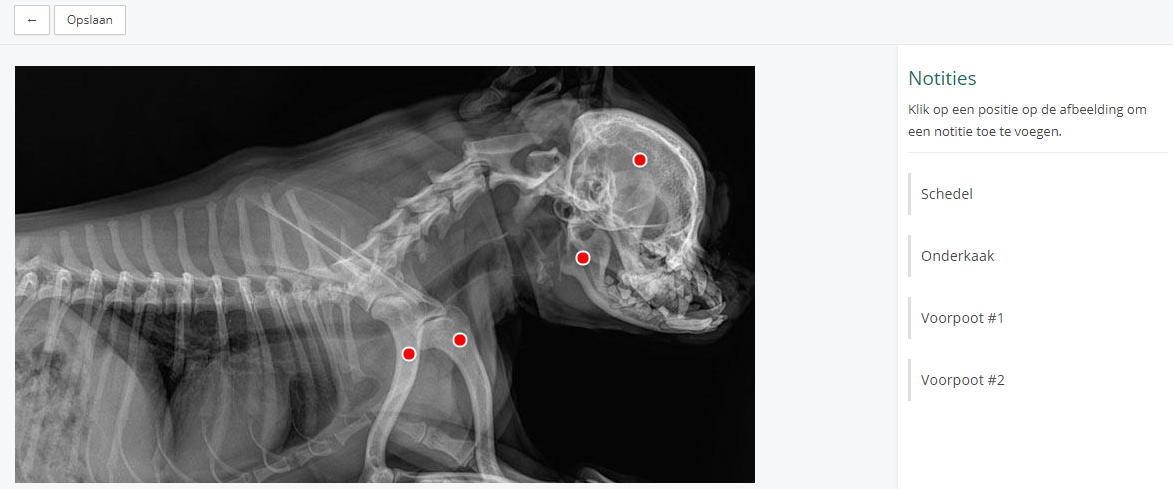
After selecting the right image, click "Use image". You'll now be taken to the editor page. Click the image to place a marker. When a marker is placed (temporarily, for now), a text field appears in the sidebar on the right. You can type a note here. Click "Add" to add the marker, and the note you just created will appear in the sidebar. Click the note in the sidebar to edit or delete it. To save the drawing, click the "Save" button. The drawing will then be added to the animal or report. Remember to save the report too if you added, changed, or deleted a drawing.