Hide animal and client fields
Hide animal and client fields
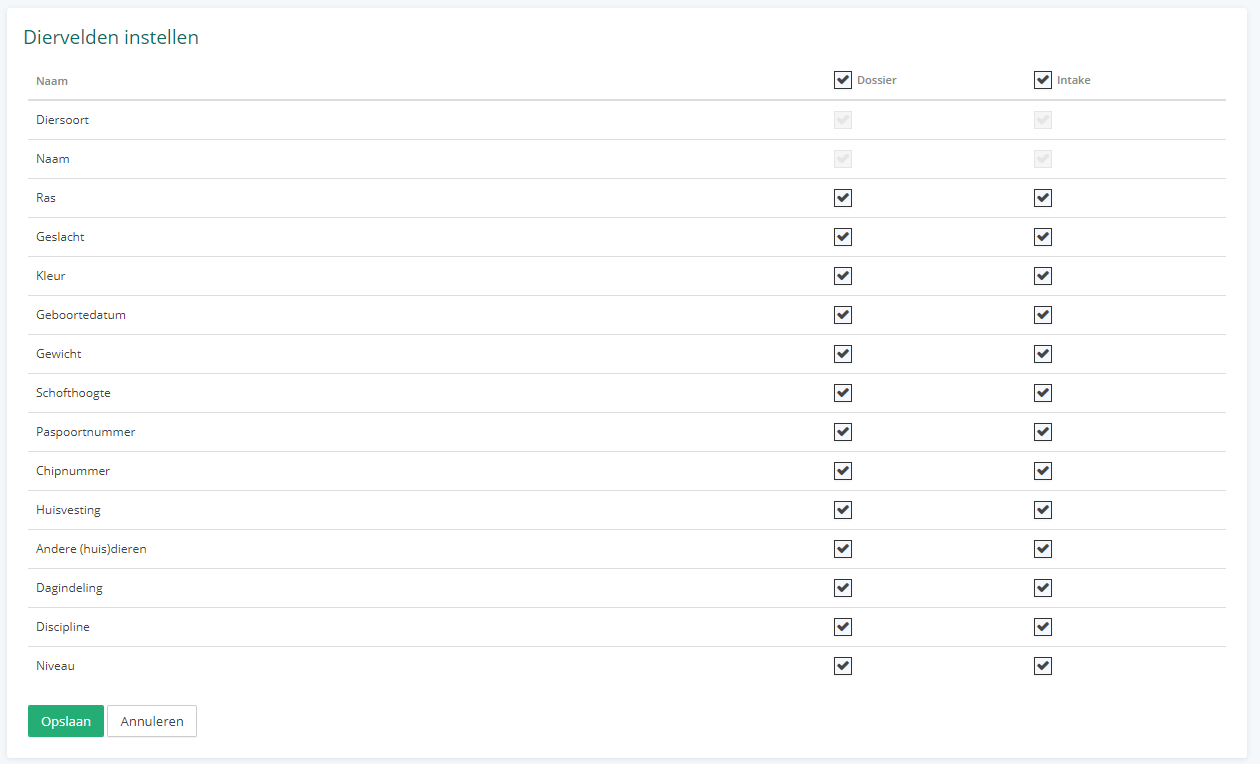
Your practice may not use a field that is displayed when creating or editing an animal/client. Vetocare allows you to hide unwanted fields so that you can focus on the data that matters. You decide for each field whether it appears in the record and on the intake form. A field can only appear on the intake form if it is also enabled in the record; checking Intake automatically enables Record. When a field is hidden, the data is retained, so if you enable the field again, you will see it with the data as it was before it was hidden.
Hide client fields
To hide or show client fields, go to "Settings" via the menu. Then select the "Set up client fields" option. Here you will find an overview of all fields displayed when creating and/or editing a client.
Hide animal fields
To hide animal fields, select the "Set up animal fields" option under "Settings". Here too, you will see all fields displayed when creating or editing an animal.